Process automation · Background in banking IT

Your team doesn’t need to work harder. It needs less manual work.

Over fifteen years in banking IT taught me to build automations that hold up, not ones that only look good in a demo. The same standard, now at the size of your business and built on the tools you already use.

No never-ending projects. No replacing all your software. No automating for the sake of it.
15+ yearsin banking IT
Your reality firston your own tools
Fully traceabledocumented and auditable
1–2 clientsat a time, always with me
Sound familiar?

Where is your time going?

Different businesses, very similar problems: copying data, chasing replies, repeating tasks and moving information from one place to another.

Accountancy & legal

When admin eats half the working day.

Gestorías, accountants, law firms and small admin teams.

We have the information, but it’s scattered across email, folders, Excel and different programs.

Client documents

Invoices and receipts arrive through different channels.

Email→Download→Save
Received, sorted and filed automatically.

Deadlines and follow-ups

Someone has to remember to check what’s missing and chase it.

Excel→Check→Remind
Automatic reminders and follow-ups.

Duplicated data

The same information ends up typed in several places.

Form→Excel→Program
Data goes in once and is reused everywhere.
Clinics & practices

Less admin around every appointment.

Physiotherapy, beauty, health and other professional practices and teams.

Confirming appointments, asking for paperwork and following up takes up a huge amount of our time.

Appointment confirmations

Calls and messages to confirm one by one.

Calendar→Message→Update
Automatic reminders and confirmations.

New clients

Details and documents arrive from several places.

Form→Email→System
Onboarding organised from a single point.

Follow-up

Getting back in touch depends on someone remembering.

Remind→Search→Write
Follow-ups scheduled case by case.
Academies & training

Every student brings ten little tasks.

Language and dance schools, tutoring, training providers and education centres.

Enrolling is easy. Everything that comes after is what keeps us busy.

Enrolments

The same details pass through several tools.

Form→Excel→Platform
One enrolment updates everything.

Outstanding payments

Check, remind, record it again.

Excel→Bank→Message
Automatic tracking and reminders.

Communications

Writing different messages for each group.

Search→Segment→Send
Automatically segmented communications.
Estate agents

Lots of contacts. Too much to remember.

Estate agents and professionals who manage properties and clients.

Getting leads isn’t the problem. Making sure none of them slip through is.

New enquiries

They come in from different portals and inboxes.

Portal→Email→CRM
Automatic entry and first reply.

Follow-ups

Remembering when to call or write.

List→Call→Note
Tasks and reminders based on status.

Paperwork

Files that are hard to find months later.

Email→Files→Folders
Organised by property or client.
Technical services & trades

The job itself is under control. It’s everything around it that drags.

Workshops, installers, repair services and teams that work out of the office.

Between quotes, job sheets, photos, notices and invoices there are too many small steps.

Quotes

Prepare, send and chase a reply.

Request→PDF→Email
Tidier quoting and follow-up.

Job sheets

Paper and WhatsApp that someone has to gather later.

Technician→WhatsApp→Office
Digital job sheet from the phone.

Customer updates

Telling the customer about every status change by hand.

Check→Search→Write
Customer kept informed automatically.
Retail & distribution

Orders come in fast. Sorting them out afterwards, not so much.

Shops and distributors taking orders through several channels.

We get orders by email, phone and WhatsApp, and end up keying everything in by hand.

Orders

Every channel means copying information.

WhatsApp→Email→ERP
Tidier order intake.

Payments due

Checking overdue invoices and chasing by hand.

Check→Remind→Record
Automatic follow-up.

Reports

The same Excel gets rebuilt every month.

Download→Combine→Send
Report updated automatically.
Other businesses

The sector changes. The symptoms don’t.

Agencies, shops, associations, studios and independent professionals.

We’ve got one person acting as the glue between five programs.

Copying data

Information moves from one system to another.

Program A→Copy→Program B
Data goes in once.

Relying on memory

If nobody remembers, the task doesn’t happen.

Remind→Search→Do
The process prompts and guides.

Repeating the same thing

Documents and messages, over and over.
Open→Edit→Send
Automate the repetitive work.
A working principle

What gets automated gets measured.

I don’t call an automation a success just because it “works”. First we agree what needs to improve, then we check the result: time, errors, steps, response times or whatever measure matters.
Before→Change→Measurable result
About me

Ten years redesigning processes at a bank. Now I bring that to businesses your size.

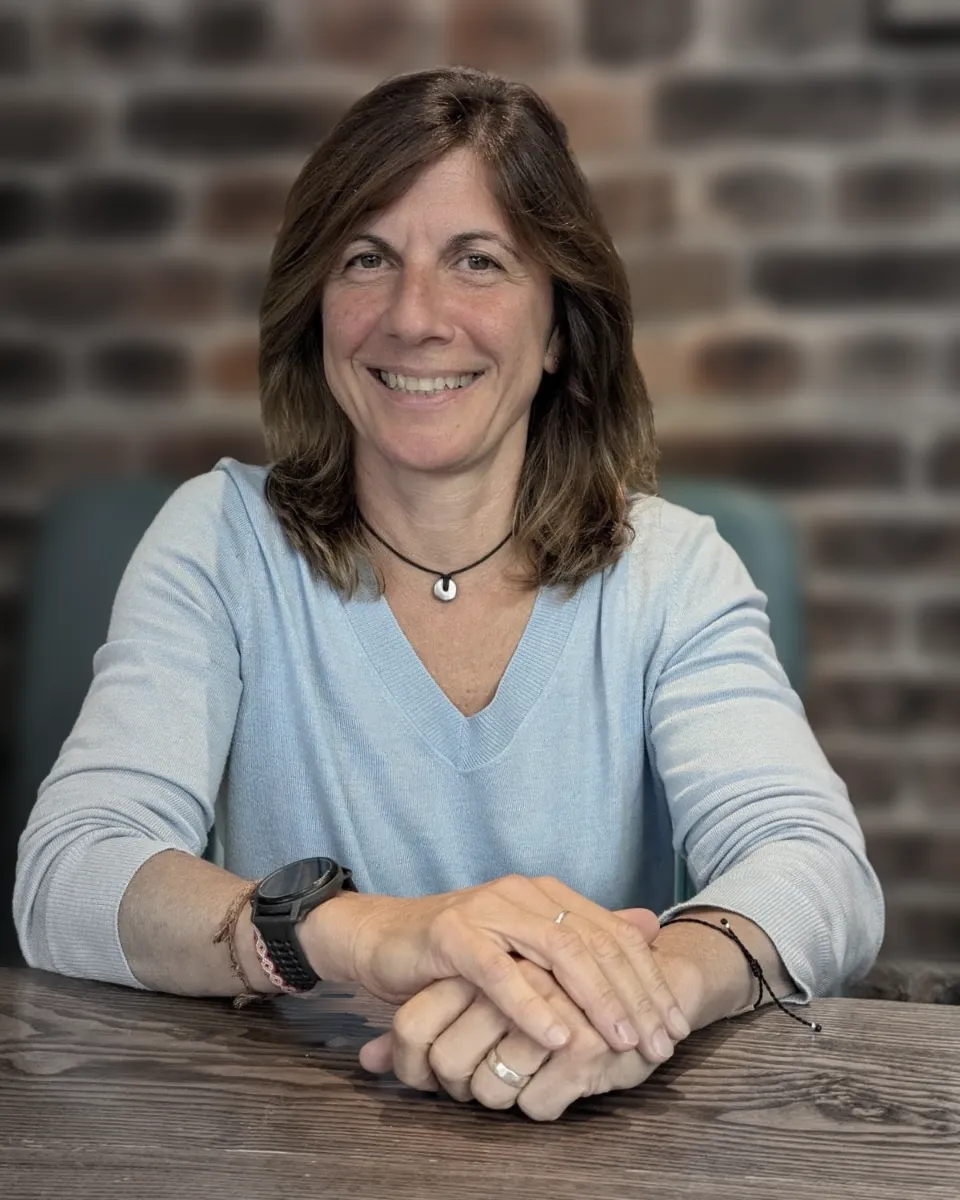
Marga Gabard, process automation consultant

I spent a decade automating and streamlining the operational processes of a bank, across very different business areas: leading the projects, rolling them out and measuring afterwards whether we had really met the goal we set.

Then I moved into payments, cards and transfers, where a payment can’t fail or go through twice, and has to be traceable end to end months later. From those years I kept one habit: never taking anything as done until I’ve checked it. That’s what I now bring to much smaller processes.

What I care about

Not the technology itself, but the difference it makes to a team’s day: less friction, less stress, less time lost on tasks that add nothing for the business or the customer.

Why now

For years, automating like this was only within reach of large corporations with the budget and an IT department. That has changed: today the same ideas fit a small business. So I help companies apply the same efficiency thinking at their own size, without the cost or the months of rollout of a large company.

What you can expect from me

Judgement before noise.

Experience 25+ years in IT.
Judgement The problem comes first.
Rigour Risks before shortcuts.
No hype If it doesn’t help, it doesn’t get built.
How I work

First I understand. Then I simplify.

01

I listen and analyse

I get to know the business, map the process and find where it’s inefficient.

02

I design the solution

I propose a clear plan, with impact, priority and estimated savings.

03

I implement it

I automate, test and leave the system running, with everything you need so you don’t depend on me.

04

I measure and improve

We compare before and after: time saved, fewer errors, steps removed or response times.

Put numbers on the problem

How much is doing it by hand costing you?

Move the sliders for a simple estimate of the yearly cost of a manual process.

Estimated yearly cost of the manual work €10,340 This is a rough estimate based on 47 working weeks a year, allowing for holidays and bank holidays. The solution fits the process: from small automations to almost fully automatic workflows.
Let’s talk about your business

Show me a process that’s wasting your time.

We’ll look at it together and see whether it’s worth simplifying, automating or simply doing differently. Write to me too if you need something else: choosing the right tool, sorting out what you already have, or just a second opinion.

I work with small businesses and freelancers in Spain and Latin America.

First conversation, no strings attached
I’ll tell you if I see a real opportunity to improve
No fixed packages or oversized solutions
Or if you prefer, write to me directly: marga@margagabard.com LinkedIn
Your details are sent securely and only used to reply to you.